Toolbox Chaos procedure
Toolbox Chaos Tabs and Shared Trajectories
Map each question to the correct tab, understand shared trajectories, and keep model, numerical, and visual controls conceptually separate.
Question and result
Calculation performed
Learn the complete GUI workflow before beginning a long simulation or parameter campaign.
Required configuration
- Open Toolbox Chaos and maximize the window so the tab row and status area are visible.
- Know the difference between a dynamical-system parameter, an initial condition, and a numerical integration setting.
Panel and figure
Displayed quantities
Configuration and calculation
Control sequence
-
Identify the repeated control pattern
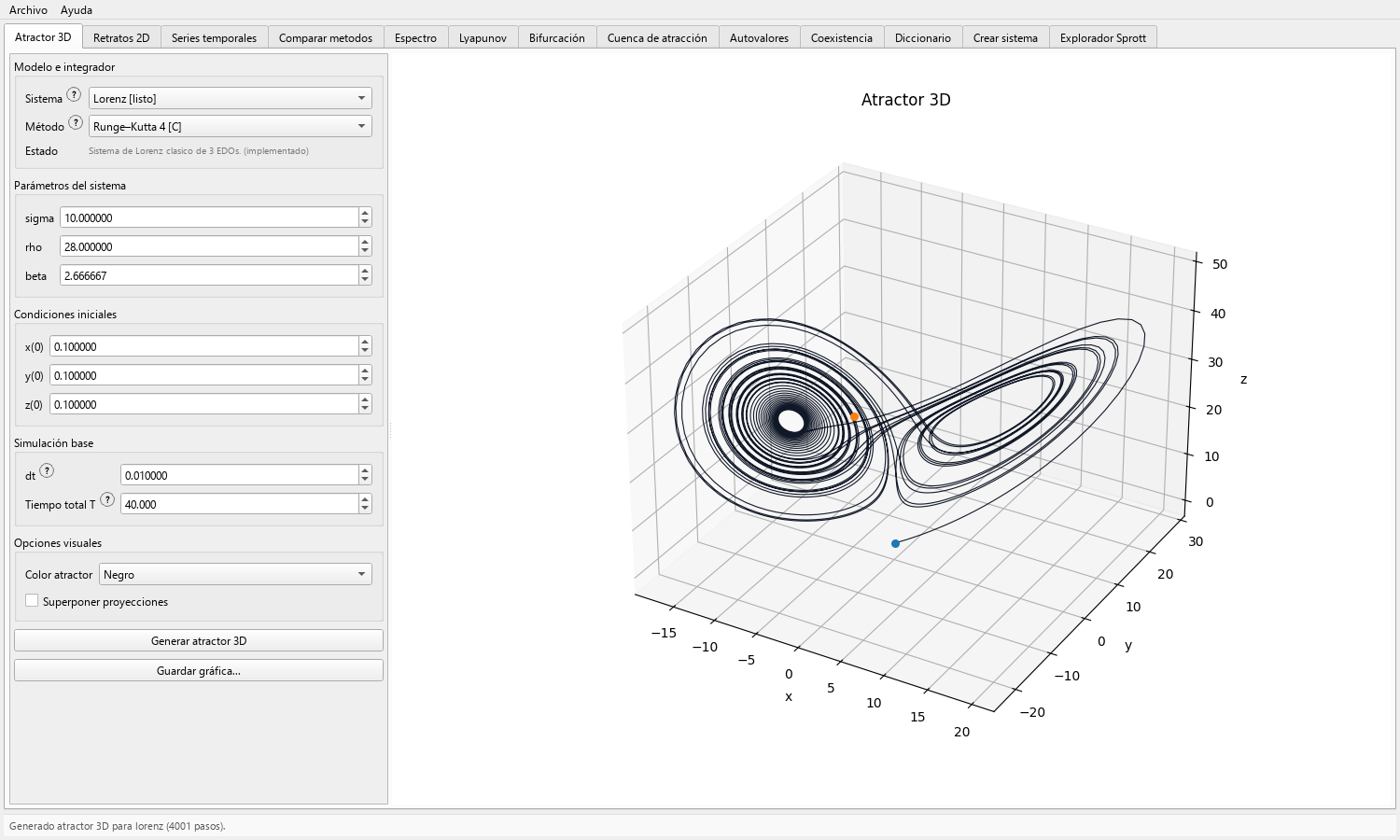
Most numerical tabs place controls on the left and results on the right. Start by selecting a system; the interface then updates parameter labels and state dimension.
Where present, method, step, and duration controls specify the numerical experiment. Color, projection, and axis controls change the presentation; the model equations remain fixed.
-
Start from a primary trajectory
Atractor 3D, Retratos 2D, Series temporales, and Espectro can run a local simulation. The first three also establish the trajectory used by compatible reuse actions.
When pressing Usar última trayectoria, confirm that the selected system matches the system associated with the stored trajectory.
-
Move from views to diagnostics
Use Comparar metodos for numerical sensitivity, Espectro for Welch PSD or amplitude spectrum, Lyapunov for the supported finite-time ODE-flow calculation, and Autovalores for supported equilibrium analysis.
Use Bifurcación, Cuenca de atracción, and Coexistencia for structured parameter or initial-condition exploration; use a phase portrait for a single trajectory.
-
Use learning and model tools deliberately
Diccionario connects terminology to the visual workflows. Crear sistema validates and simulates user-defined flows or maps. Explorador Sprott provides its own code, search, gallery, and local-dictionary workflow.
A model created or loaded by the user remains a user definition. Catalog-specific equilibrium or basin support follows the curated model contracts.
-
Read status and error messages
Treat warnings about dimension, incompatible shared trajectories, unsupported system type, transient length, or invalid definitions as part of the numerical contract.
If a run fails, reduce the experiment to a catalog preset and known method before changing several inputs at once.
-
Use the application menus
Open Archivo → Abrir carpeta de resultados to reach the user output location directly.
Use Ayuda for the bundled local documentation, citation information, and About panel when recording the software identity used in a study.
The 13 tabs at a glance
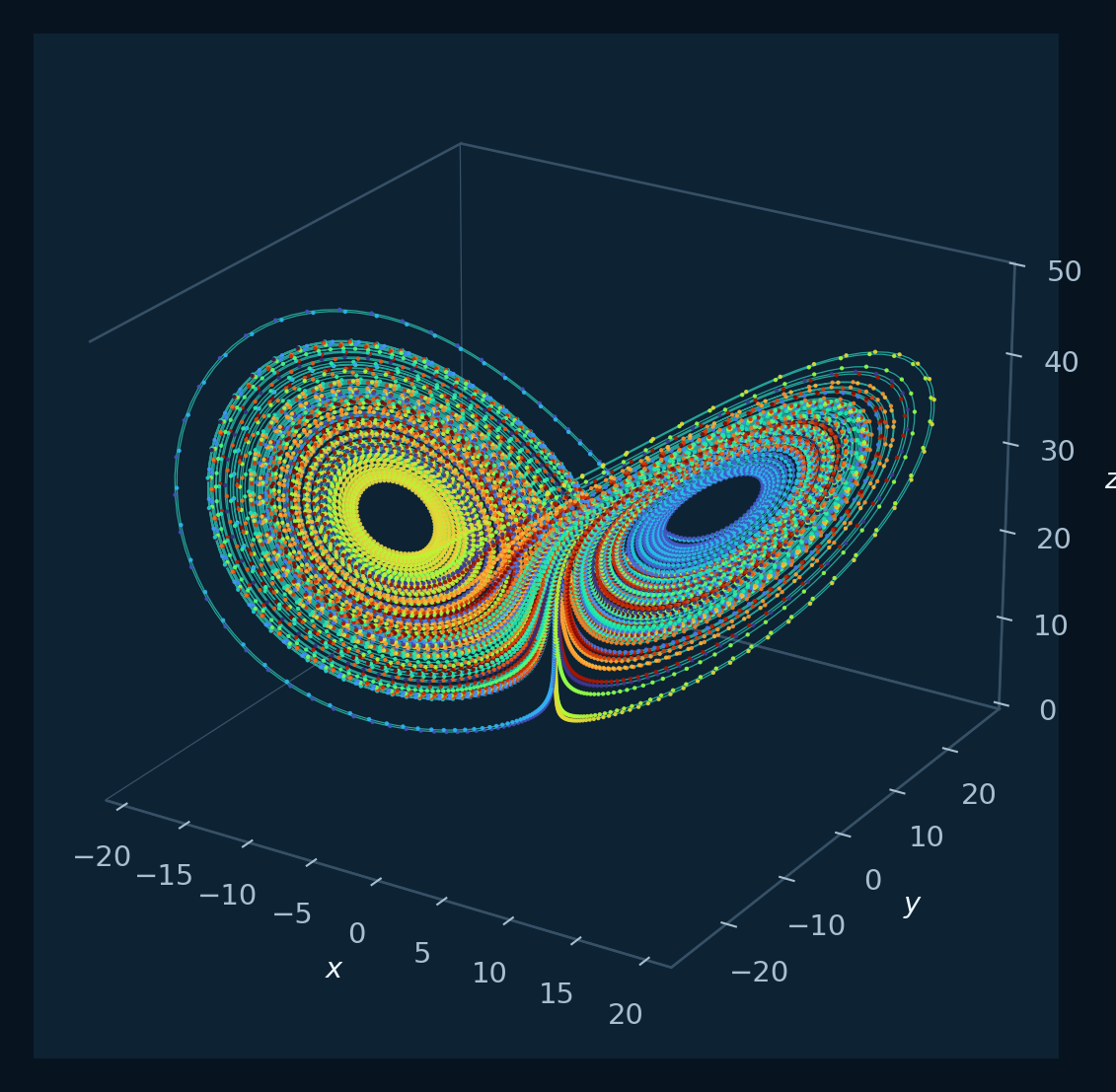
- Atractor 3D — three-state geometry, optional coordinate-plane projections, and figure export.
- Retratos 2D — selectable pairwise projections with a shared-trajectory option.
- Series temporales — one state history per displayed variable with independent colors.
- Comparar metodos — Euler, Heun, and RK4 under one common setup.
- Espectro — Welch power spectral density or a one-sided amplitude spectrum.
- Lyapunov — supported finite-time QR–Benettin spectrum for integer-order 3D ODE flows.
- Bifurcación — parameter sweeps with model-aware controls and optional supported constructions.
- Cuenca de atracción — finite grids of initial conditions classified by a supported destination rule.
- Autovalores — supported ODE equilibria, Jacobian eigenvalues, and local classification.
- Coexistencia — registered cases compared at common parameters and different starts.
- Diccionario — local conceptual reference.
- Crear sistema — graphical model definitions, validation, simulation, and JSON exchange.
- Explorador Sprott — code decoding, synthetic exploration, local user-owned dictionaries, examples, and gallery export.
- Archivo and Ayuda menus — results folder, local documentation, citation details, and application identity.
Record
Computed data
- You can name the tab that answers a particular research question and state which settings affect the model, numerical solution, or appearance.
- You can reuse a computed trajectory while retaining its system and numerical settings.
Scientific reading
Interpretation criteria
The tabs form an evidence sequence: trajectory views reveal finite behavior, diagnostics quantify selected properties, and sweeps compare behavior across a declared grid.
A visually persuasive plot may still depend strongly on the step, duration, discarded transient, and initial state. Treat the status line and saved settings as part of the result.
Files
Experiment record
- Export from the tab that produced the final evidence and retain the complete plotted view.
- Record the tab name and whether it simulated locally or reused the last trajectory.
- For multi-tab studies, use one run identifier across figures and notes.
Applications
Questions addressed by the calculation
- Designing a classroom sequence from portraits to quantitative diagnostics.
- Planning a research exploration so each question has an explicit GUI operation and output.
- Training a team to use consistent numerical and naming conventions.
Scope
Evidence conditions
- Each diagnostic lists the model types and dimensions supported by its numerical contract.
- Shared trajectories preserve the computed state history; records retain the display choices and explanatory notes used for each view.
- The GUI supports simulation, visualization, and parameter exploration, while Hidden Attractors FO provides the separate localization workflow.